YouTube Agent Skill: the full setup guide
11 free Claude skills for your YouTube channel. Scripts, titles, edit lists, comments, plans and a viral-video finder. How to add them to Claude, what I tested, and what the reel got wrong.
- Claude skills
- 11
- Hook formulas
- 21
- Python tools inside
- 6
- MIT, no API key
- Free
Set it up in about 3 minutes
A few clicks on the web or the desktop app. No code.
Needs a paid plan (Pro, Max, Team or Enterprise). I used these exact steps for the same author's LinkedIn pack. This one installs the same way.
- 1
Customize → Plugins → Add marketplace
Open Customize in the left sidebar. Go to the Plugins tab, click Add, then Add marketplace.
- 2
Paste the repo, click Sync
Choose “Add from a repository”, paste this into the URL box and click Sync. The red warning shows for every plugin that isn't Anthropic's.
Jakeschincariol/youtube-agent-skill - 3
Open the YouTube agent plugin, click Add
It shows up in the list with all 11 skills. Click Add. You'll find it under Customize → Plugins → Yours.
- 4
Type /yt in a new chat
All 11 skills show up. Pick one, or just ask normally (“write a script for my next video about…”) and Claude picks the right skill.
/yt-script My next video is about - 5
Give it your voice, once
The first time, it asks for three of your own videos (links or transcripts) and writes a voice.md file from them. Every skill reads it. Keep that file in a Claude Project for your channel.
Each chat in the Claude app starts fresh. Ask Claude for the voice.md it writes and add it to a Claude Project, so every chat there knows how you talk.
Two commands. The one I ran myself.
For people who already use Claude Code.
- 1
Add the marketplace and install
Run both inside Claude Code. You get all 11 skills, and nothing else. No connectors, no MCP servers.
/plugin marketplace add Jakeschincariol/youtube-agent-skill - 2
Install the plugin
Works in every project after this.
/plugin install youtube-agent@youtube-agent-skill - 3
Write your voice file
Send three of your own videos or transcripts and ask Claude to write ~/.claude/youtube/voice.md. Every skill reads that file.
Write my ~/.claude/youtube/voice.md from these three videos
The six Python tools run on any computer with Python 3. No extra installs.
No plugin. Paste one skill into a chat.
I haven't tested this route myself. Works on the free plan, but you lose the six Python tools.
- 1
Open the skill you want on GitHub
In the repo, open skills → yt-script (or any other) → SKILL.md and copy everything.
- 2
Paste it at the top of a new chat
Then ask for what you want. Claude follows it as a mode for that chat. You lose the six Python tools, which matters most for /yt-script, /yt-edit, /yt-retention and /yt-viral. Use Option 1 or 2 for those.
Make
From an idea to a recorded, packaged video.
Idea → upload
- Give it one idea. You get five hooks from 21 formulas, each scored, then the full spoken script with the retention beats marked. /yt-script
- It writes ten titles, lints them, and keeps the best two. Then a thumbnail brief: the three words, your expression, the framing. /yt-package
- Give it the transcript of your raw take. You get an edit list: dead air, filler and retakes with timecodes. You make the cuts. /yt-edit
- Long video? It finds the Shorts already inside it and writes a new first line for each. /yt-shorts
- Chapters from the transcript, checked against YouTube's rules so they actually show. /yt-chapters
Steal this: It designs the thumbnail on paper, not the image. You still make the picture in Canva or with another tool.
Grow
Find what works, plan the week, fix what's broken.
Every week
- Collect a few channels in your niche (public video lists). It ranks every video by how far it beat its own channel's usual views, not by raw views. /yt-viral
- Tell it how many hours you have. You get a week that fits: one main video, one cheap one, three Shorts. /yt-plan
- The description, the few tags worth having, and the three searches this video should win. /yt-seo
- Export your audience-retention data from YouTube Studio. It finds the exact second people leave and what you were saying. /yt-retention
- Paste your channel. It reviews titles, consistency and your first 15 seconds, and ends with ONE fix, not twenty. /yt-audit
Engage
The comment section, sorted, with replies in your voice.
After every upload
- Paste your comments. It sorts them into four piles and tells you how many are in each. /yt-comment
- It writes the replies worth sending, in your voice, and tells you which comment to pin. /yt-comment
- You post the replies yourself.
What it can and can't do
It can
- Write scripts with scored hooks, in your voice
- Write and check titles, and brief your thumbnail
- Turn a transcript into an edit list with timecodes
- Rank videos in your niche by how far they beat their own channel
- Plan your week, write descriptions and chapters, and draft comment replies
It can’t
- Upload, post or reply on YouTube. You do every one.
- Connect to your YouTube account. Nothing logs in.
- Cut your video or design your thumbnail image
- Promise views. The hook score is a guide, not a prediction.
What you might have heard vs what's true
“Connect Claude to YouTube and it runs your whole account.”
Nothing connects. The repo says "nothing to connect" and "these skills write, you upload". When I installed it, Claude Code listed 11 skills and zero MCP servers, so there's nothing to connect. My reel says this too, and it's not how it works.
“11 skills, completely free.”
Open source under the MIT licence, by Jake Schincariol. No signup, no API key. You still need Claude, and plugins need a paid plan.
“It writes your script with 21 proven hook formulas.”
There are 21 formulas in the repo, and a script scores every hook. The author says the score is a guide, not a predictor. It called my own reel hook weak (see below).
“It makes your titles and thumbnails.”
It writes and checks titles, and writes a thumbnail brief (three words, expression, framing). It doesn't create the thumbnail image.
“It edits your video.”
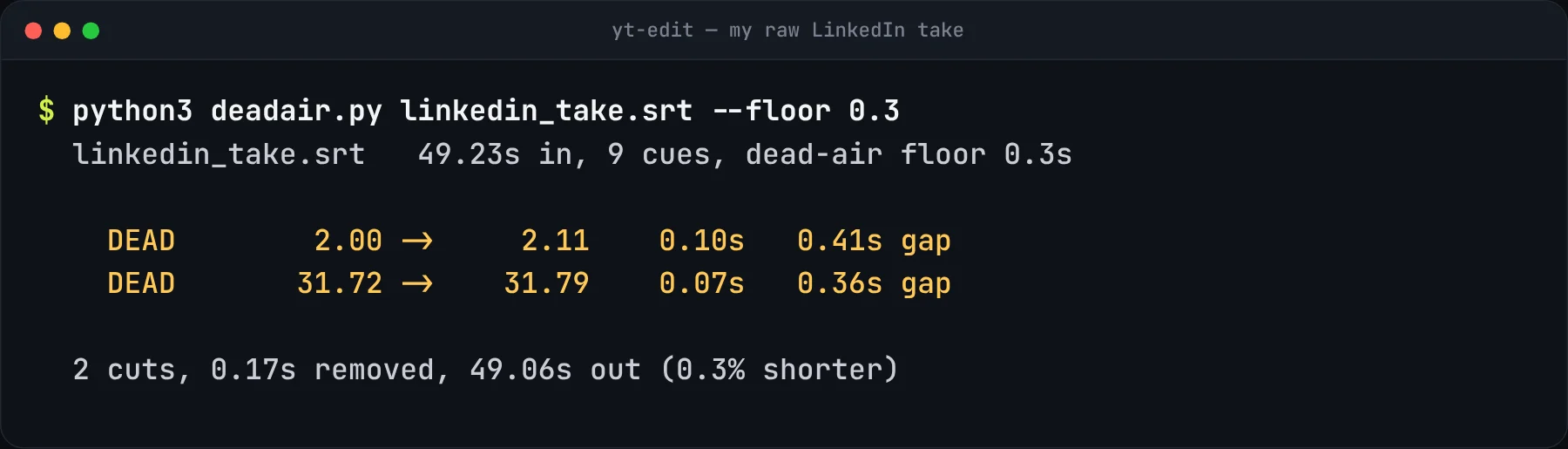
It turns a transcript into an edit list with timecodes. You make the cuts in your editor. On my LinkedIn take it found the same two pauses I had cut by hand.
“It handles your comments.”
You paste the comments in. It sorts them and drafts replies. You post them.
“It finds the viral videos in your niche.”
True, once you give it the channels' public video lists. It ranks by how far a video beat its own channel, which is more useful than raw views. I ran it on 59 videos (below).
“Paste the GitHub link into Claude and say "install".”
That works in Claude Code. In the Claude app, use Add marketplace (Option 1 above).
Start here
- Add the plugin. Pick your option above. About 3 minutes.
- Write your voice file. Give it three of your own videos. Do this once.
- Run /yt-viral on 3 channels in your niche. Pick one idea from the top five.
- Run /yt-script on that idea. Record it.
- Run /yt-package before you upload, then check every title, number and claim yourself.
What I tested
I installed it and ran four of the six tools on real material.
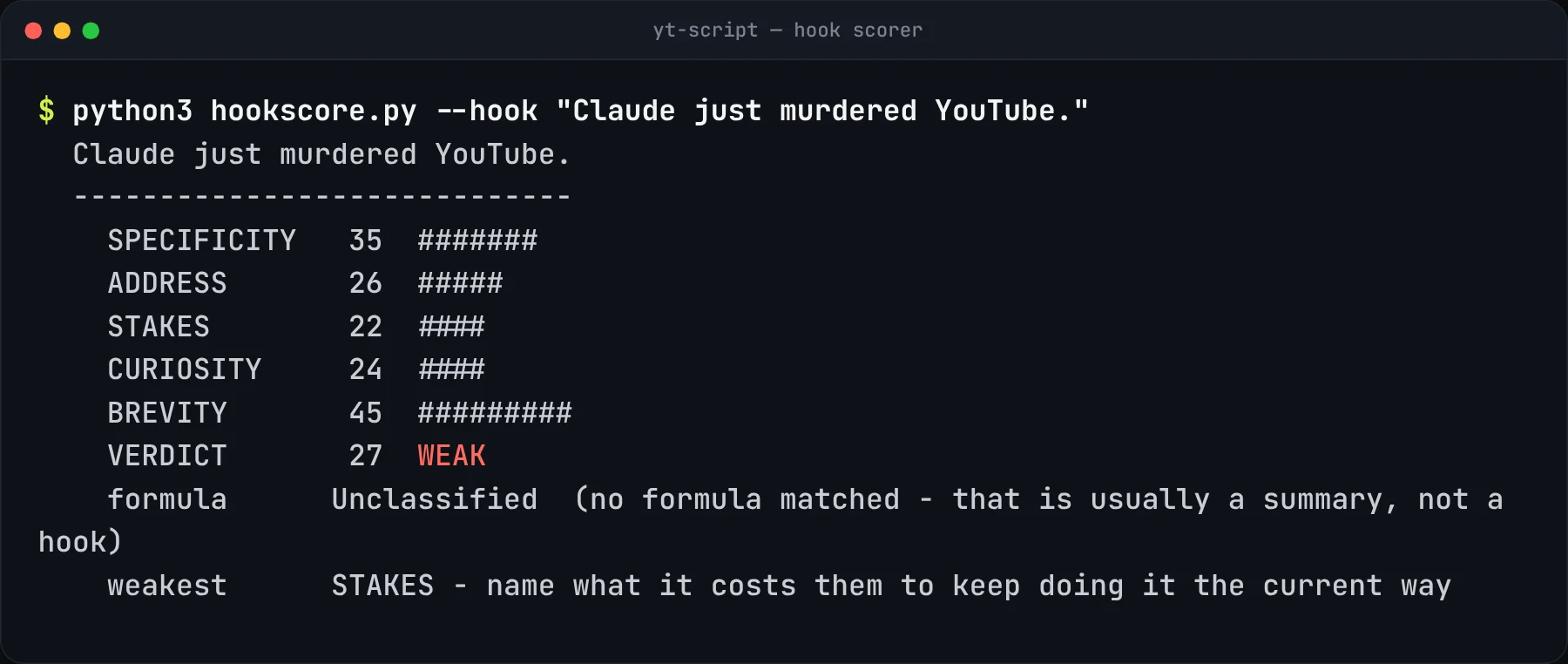
The hook scorer called my own hook weak. “Claude just murdered YouTube” got 27/100. Its advice: say what it costs people to keep doing it the old way. The author says the score is a guide, not a predictor, so I’m still testing my hook against the views.
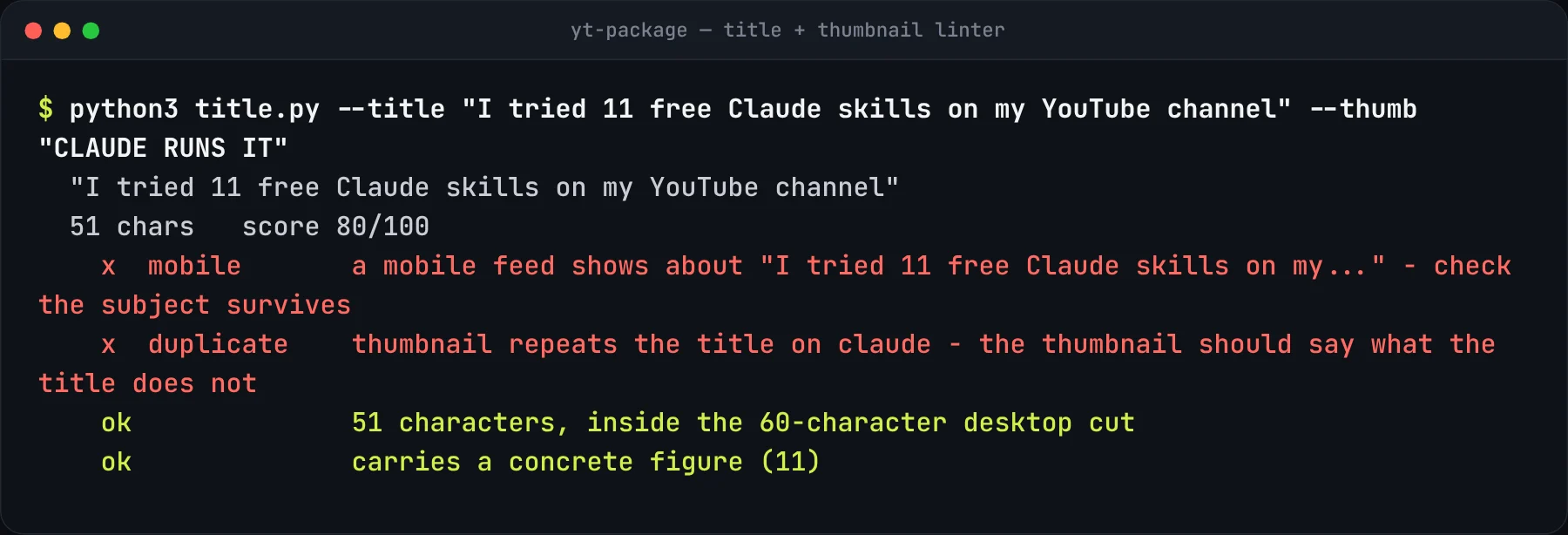
The title checker caught two real problems. My test title gets cut off in the mobile feed, and the thumbnail text repeats a word from the title.
The edit list found the same two pauses I cut by hand. I gave it the transcript of my raw LinkedIn reel take. It flagged the gaps at 2.0s and 31.7s, the exact spots I had cut in the edit.
The viral finder ranks by multiple, not by raw views. I collected 59 recent videos from three AI channels (public lists). A 354K video ranked first, at 5.8× its channel’s usual views. A 502K video ranked second, because that channel usually gets more.
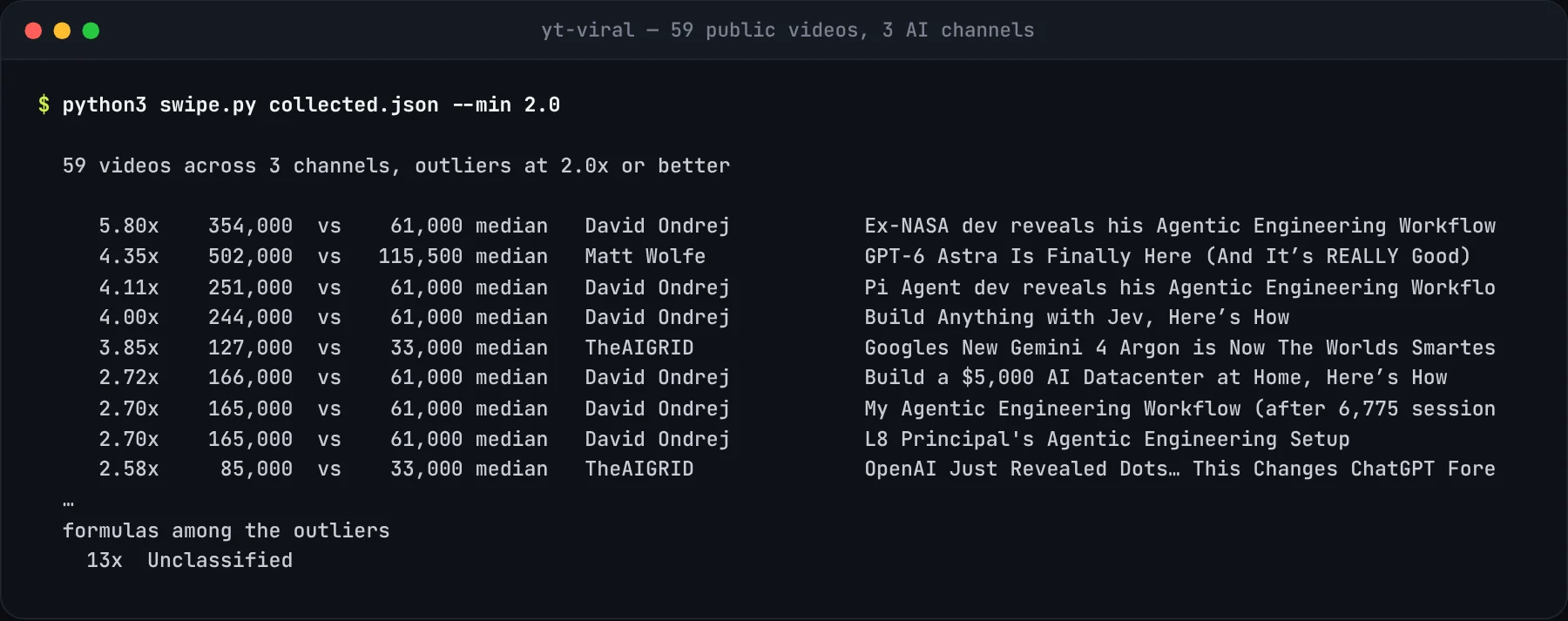
It didn’t label any of these titles with one of its 21 formulas (“Unclassified”). The multiples are the useful part.
Good to know
- It writes. You upload. That’s on purpose. Nothing gets posted to your channel.
- Anthropic doesn’t check outside plugins. This one is plain instructions plus six small Python scripts that run on your own computer.
- Made by Jake Schincariol (the same person behind the LinkedIn Agent Skill). All credit to him. The repo has every skill, the 21 hook formulas and the full details.
These skills write. You upload.
Straight answers
Which Claude plan do I need?
Plugins need a paid plan (Pro, Max, Team or Enterprise). On the free plan you can paste a single skill into a chat (Option 3), without the Python tools.
Is it safe for my channel?
It never logs in to YouTube and never touches your account. The viral finder only reads public video lists. Everything it makes, you copy and post yourself.
Does it write in Malayalam?
I haven't tested that yet. Ask for Malayalam in your message and give it Malayalam videos for your voice file. Read every line before you record.
Where do I get the video lists for /yt-viral?
From each channel's Videos tab: title and views for at least four videos per channel. Claude can collect them if it has a browser, or you can paste them in. The tool skips any channel with fewer than four.