20 edit styles for your reels: free Claude skill
The skill I made so my Claude edits stop looking like every other AI reel. 20 styles, each with its own subtitles, title, graphics, colour and sound.
- Edit styles
- 20
- Things each style changes
- 6
- Line to use it
- 1
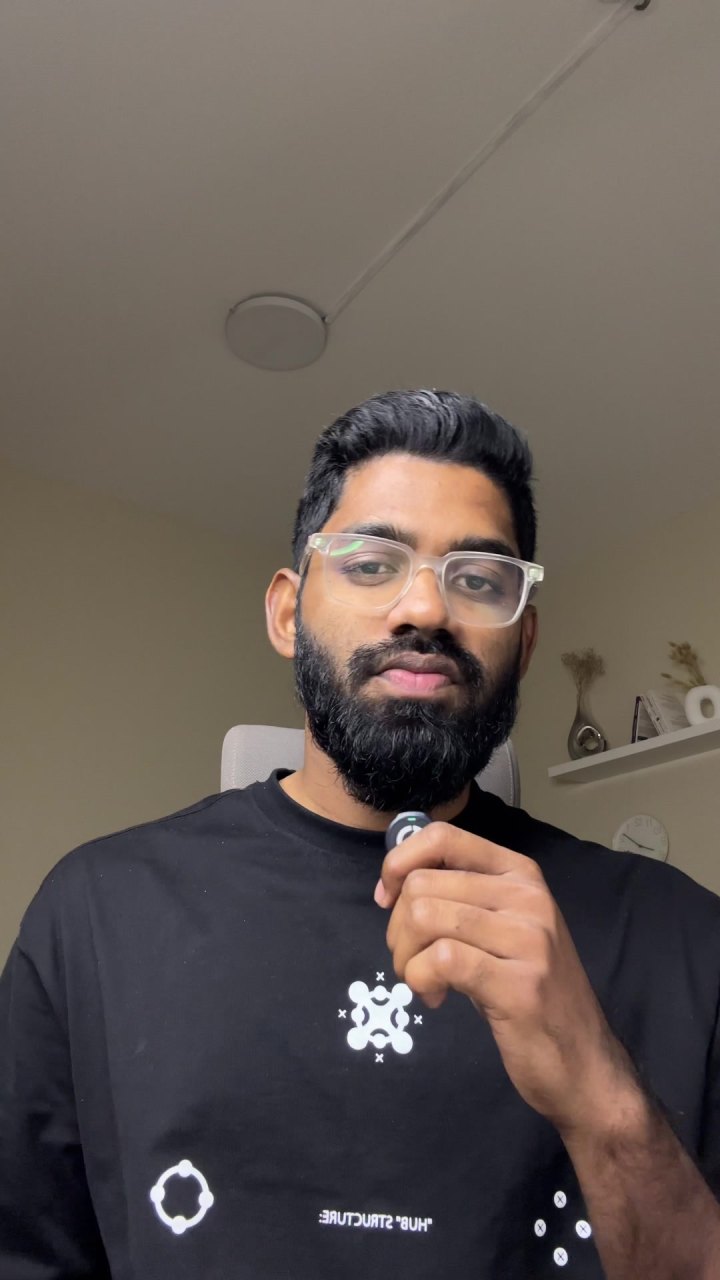
How to use it
Add two skills once. After that it's one line per reel.
Needs Claude Pro or higher.
- 1
Turn on code execution
Settings → Capabilities. Turn on “Code execution and file creation”. Keep network access on so Claude can install free tools.
- 2
Upload both skills
Download the two skills below. In Settings → Capabilities → Skills, click Upload skill, add each .zip and switch both on.
- 3
Send your video and name a style
New chat. Attach your raw video and say which style you want.
Edit this video into a reel in the Comic style. Language: English. - 4
Approve, wait, download
Claude installs free tools in its own sandbox. When it asks for permission, tap Allow. A 30–60 second reel usually takes 20–40 minutes. Styles with art behind you take a bit longer.
Not sure which style? Ask Claude to show you the 20 styles first.
Download both skills
Reel Edit Styles
The 20 looks. Pick one for each reel.
- Subtitle style
- Title behind your head
- Graphics layer
- Colour and texture of the video
- Motion
- Sound effects
Edit this video into a reel in the Neon style. Language: English.Claude Reel Editor
Does the editing. The styles plug into it.
- Cuts pauses and mistakes
- Captions in your language
- Text behind your head
- Colour grade
- Clean sound effects
Edit this video into a reel. Language: English.The 20 styles
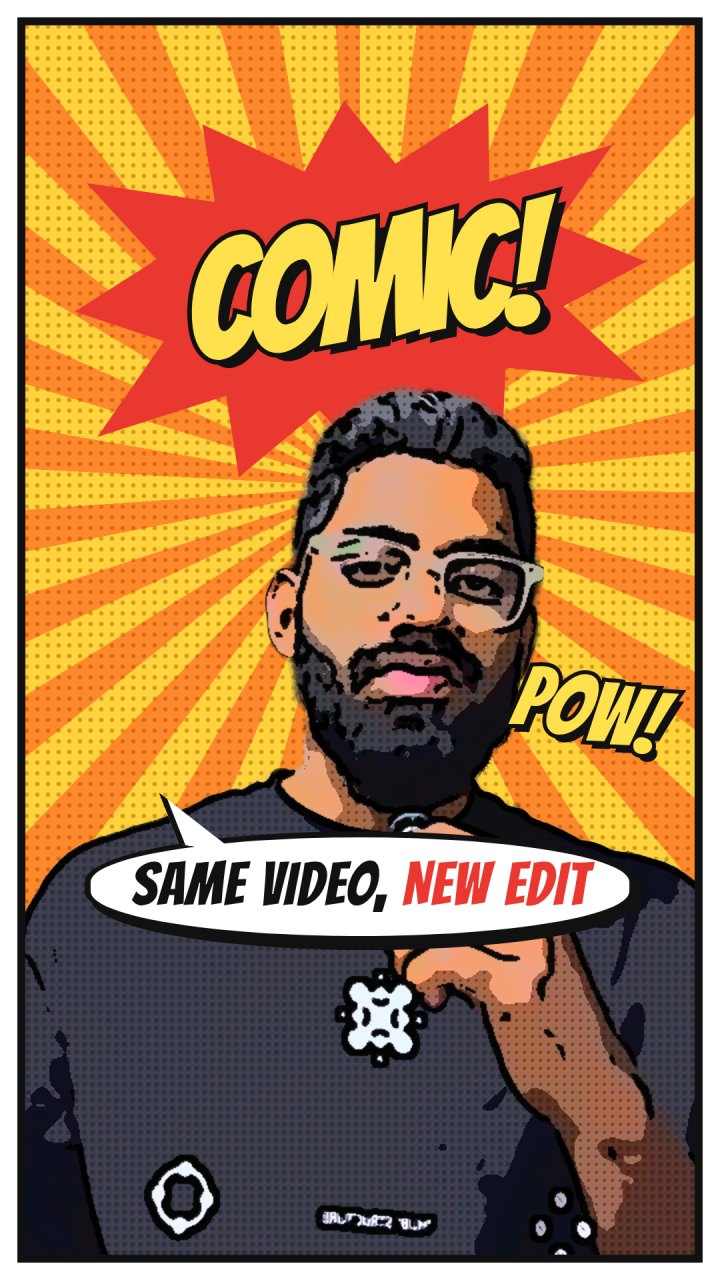
Every picture is a real frame of my video, made with that style's own CSS inside the Claude Reel Editor. Copy a line, attach your video and change the language to yours.
Download all as a text fileLoud and playful
Big shapes, bright colour, lots of energy.
- 3D
Edit this video into a reel in the 3D style. Language: English. - Claymation
Edit this video into a reel in the Claymation style. Language: English. - Comic
Edit this video into a reel in the Comic style. Language: English. - Y2K
Edit this video into a reel in the Y2K style. Language: English. - Pixel
Edit this video into a reel in the Pixel style. Language: English. - Anime
Edit this video into a reel in the Anime style. Language: English. - Sticky Notes
Edit this video into a reel in the Sticky Notes style. Language: English.
Clean and premium
Calm type, strong grades, nothing extra.
- Editorial
Edit this video into a reel in the Editorial style. Language: English. - Swiss
Edit this video into a reel in the Swiss style. Language: English. - Cinematic
Edit this video into a reel in the Cinematic style. Language: English. - Highlighter
Edit this video into a reel in the Highlighter style. Language: English. - Neon
Edit this video into a reel in the Neon style. Language: English.
Retro and hand-made
Paper, tape, old screens and printers.
- Papercut
Edit this video into a reel in the Papercut style. Language: English. - 90s TV
Edit this video into a reel in the 90s TV style. Language: English. - Notebook
Edit this video into a reel in the Notebook style. Language: English. - Receipt
Edit this video into a reel in the Receipt style. Language: English. - Glitch
Edit this video into a reel in the Glitch style. Language: English.
Screens and UI
Your video as an app, a broadcast or a terminal.
- Chat
Edit this video into a reel in the Chat style. Language: English. - Breaking News
Edit this video into a reel in the Breaking News style. Language: English. - Terminal
Edit this video into a reel in the Terminal style. Language: English.
Nothing matches that. Try “sunset”, “anime” or “cover”.
Start here
- Turn on code execution in Claude (Settings → Capabilities).
- Upload both skills (one time).
- Pick a style from the 20 above.
- Send your raw video with one line: “Edit this video into a reel in the Comic style.”
- Check the captions for names and numbers, then post.
Straight answers
Do I need both skills?
Yes. The Claude Reel Editor does the editing. Reel Edit Styles tells it how the reel should look.
Will it turn me into a cartoon?
No. Your face, voice and lip sync stay real. Some styles change the colour or texture of the video, like comic ink, pixels or an old TV, but it's always your own footage.
Does it work in Malayalam, Hindi or Arabic?
Yes. Captions stay in your language. The style fonts only have English letters, so other scripts use a clean fallback font with the same colours, boxes and effects.
Can I use two styles in one reel?
Ask for it. By default Claude uses one style for the whole reel, which looks cleaner.
Does it work on the free Claude plan?
No. Custom skills need Claude Pro, Max, Team or Enterprise, with Code execution turned on (Claude help).
Will my reel look exactly like the pictures?
Same fonts, colours and graphics, with your words and your video. If something looks off, ask Claude to change it in the same chat.
Is there music?
No music. Each style has its own quiet sound effects. Add a track in Instagram if you want one.